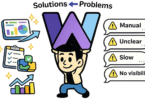
Your organization has recently undergone a significant restructuring. As part of this process, you have carefully crafted your vision and mission statements. Now, the crucial next step is to translate these abstract concepts into actionable strategies and measurable objectives. This is where strategy maps and balanced scorecards become essential tools.
Think of a strategy map as the blueprint for your organization. It answers the question: “What are we trying to achieve?” It provides a visual representation of your overall strategy, linking your core objectives across different perspectives.
On the other hand, a balanced scorecard is the management tool that translates those blueprints into actionable metrics. It answers the question: “How are we going to measure our success?” It moves beyond just financial performance, providing a balanced view of an organization’s performance from four key perspectives: Financial, Customer, Internal Processes, and Learning & Growth.
While traditional methods involve lengthy documents or simple charts distributed to staff, a growing trend in the modern business landscape is to leverage open-source strategy map and balanced scorecard software. This technology can streamline your process, enhance collaboration, and make strategic planning a core part of your daily operations.
What is a balanced scorecard?
Before diving into the software, let’s clarify the core concept. The Balanced Scorecard is a strategic management tool developed by Dr. Robert Kaplan and Dr. David Norton. It was a game-changer by moving organizations beyond just measuring financial performance.
- The Old Way: Focusing solely on profit, revenue, and cost-cutting.
- The New Way: Creating a balanced view of organizational performance using key metrics from four perspectives:
- Financial Performance: Measuring financial health and efficiency.
- Customer Satisfaction: Understanding customer needs and expectations.
- Internal Processes: Improving the efficiency and quality of critical business processes.
- Learning & Growth: Focusing on innovation, employee skills, and cultural development.
This shift from “balance sheet only” to a comprehensive view allows organizations to move from reacting to past performance to actively shaping their future.
The Power of Open Source: Strategy Map Software
While some organizations handle strategy mapping with manual charts and documents, those looking for a technological edge can highly benefit from open-source strategy map software.
What is Open Source? At its core, open-source software is any program whose source code is available for anyone to view, modify, and distribute. This includes the flexibility to customize the software to fit an organization’s specific needs without a high license cost.
The Advantages of Open Source for Strategy Maps:
- Accessibility: It removes the barrier of entry. You don’t need a massive budget for expensive commercial software.
- Customization: You can tailor the mapping and scoring tools to reflect your organization’s unique culture, strategies, and objectives perfectly.
- Collaboration: Multiple stakeholders can work on and review strategy maps simultaneously, fostering a more inclusive and transparent strategic planning process.
- Scalability: An open-source software is easily scaled as your organization grows and its strategy evolves.
Balanced scorecard software features
1. The Foundation: Modules
Most comprehensive strategy management software, including theirs, is often modular. This allows for flexible implementation. Key modules include:
- Vision/Mission/SWOT: A tool to clearly define your organization’s purpose, core values, and a roadmap for how it will achieve its goals, including identifying strengths, weaknesses, opportunities, and threats.
- Strategy Map: The central visual representation of your strategy, showing the relationships among objectives, initiatives, and measures.
- Balanced Scorecard: The framework for translating those strategies into measurable objectives across the four perspectives.
- Drill-Down Dashboard: A powerful tool that lets users access detailed information. It allows for dynamic navigation from high-level strategic views (e.g., an organization’s mission) down to the specific data points that inform strategy execution (e.g., a department’s goal). This enables informed decision-making at all levels of the organization.
- Closed Loop Learning Performance System: A sophisticated feature that creates a feedback loop. It connects strategic objectives, initiatives, and performance measures. This ensures that actual performance data is continuously fed back into the planning cycle, allowing for real-time adjustments and improvements.
- Organizational Tree: A tool to visually represent the hierarchy of the organization, linking strategies at all levels.
2. Strategic Grid Modules
The software excels in providing flexible and powerful tools to build and manage your strategy grid.
- Objectives Grid: This highly adaptable table allows you to define up to 15 user-defined columns. You can structure it however you need—percentages, targets, statuses, etc.—to best capture your organization’s specific requirements.
- Initiatives Table: Similarly flexible, this table can handle up to 24 user-defined columns, giving you the freedom to manage projects and initiatives with the detail and clarity needed for effective strategy execution.
3. The WYSIWYG Advantage
The software emphasizes a “What You See Is What You Get” (WYSIWYG) approach to strategy mapping and scorecard creation. This means that the visual representation you create in the software is the same one your team will use and understand intuitively, minimizing the learning curve and maximizing efficiency.
4. The Power of the Gauge
The balance scale analogy is taken a step further with visually striking gauges. These gauges can display statuses (e.g., red for underperforming, yellow for targeting, green for meeting objectives). Some modules even allow an average of monthly grid values to be used as a driver for these gauge columns, creating sophisticated feedback loops directly within the software.
Create Vision Mission Value Statements Strategy Map Balanced Scorecard

Using Strategy Map Module

Head on over to https://www.strategykpi.com and check out or download the latest version 7.9 of the Strategy Map Balanced Scorecard Software.
Best Open Source Strategy Map and Balanced Scorecard Options
ZaiKPI Open Source Strategy Execution Backbone
Why it works
A fully open-source PHP/MySQL platform that can be adapted surprisingly well for Balanced Scorecard execution.
Using existing modules such as:
-
Goals
-
Projects
-
Tasks
-
KPIs
-
Custom fields
You can model:
-
Strategic objectives
-
Initiatives linked to objectives
-
Owners and timelines
-
Progress tracking
Strengths
-
100% self-hosted and extensible
-
Ideal for SMEs and internal teams
-
Excellent fit if you already work in PHP
Limitations
-
No native Strategy Map canvas
-
Requires light structure and discipline
Best for
-
Teams that want ownership over their strategy system
-
Organisations tired of spreadsheet sprawl
Metabase – KPI & Scorecard Analytics
Why it works
Metabase is an open-source business intelligence tool that excels at visualising performance data.
It’s ideal for:
-
Balanced Scorecard dashboards
-
KPI tracking by perspective
-
Leadership reporting without Excel
You can create separate dashboards for:
-
Financial performance
-
Customer outcomes
-
Internal efficiency
-
Capability and learning metrics
Strengths
-
Open source
-
SQL-friendly
-
Integrates with almost any database
Limitations
-
Strategy Map remains conceptual (diagrammed elsewhere)
-
Focuses on measures, not narrative
Best for
-
Data-driven organisations
-
Teams who want numbers with context
Draw.io – Strategy Maps Without Friction
Why it works
Strategy Maps are inherently visual — and Draw.io (now diagrams.net) is one of the most efficient ways to create them.
It supports:
-
Cause-effect logic
-
Clear objective hierarchies
-
Easy export to PNG, SVG, or PDF
-
Version control via Drive or Git
Strengths
-
Completely free
-
No lock-in
-
Perfect for workshops and alignment sessions
Limitations
-
No live KPI integration
-
Manual updates
Best for
-
Consultants
-
Educators
-
Early-stage or reset strategy work
Cost-Effective SaaS (Without Enterprise Bloat)
BSC Designer – Purpose-Built Balanced Scorecard Tool
Why it stands out
BSC Designer is designed specifically for Balanced Scorecard and Strategy Maps, with built-in support for:
-
Objectives
-
KPIs
-
Cause-effect relationships
-
Initiatives
Strengths
-
Structured, disciplined approach
-
Free tier available
-
Clear alignment logic
Limitations
-
Not open source
-
Traditional enterprise UI
Best for
-
Organisations new to Balanced Scorecard
-
Teams that want guidance without building from scratch
Weekdone – OKR Meets Strategy Execution
Why it works
While not a pure Balanced Scorecard tool, Weekdone bridges strategy and execution through OKRs.
Many teams successfully map:
-
Strategic objectives → OKRs
-
Initiatives → weekly plans
-
Reviews → continuous alignment
Strengths
-
Affordable
-
Strong execution cadence
-
Encourages accountability
Limitations
-
Strategy Map is implicit
-
BSC terminology not native
Best for
-
Agile teams
-
Organisations blending OKRs with strategy
Final Thought: Tools Don’t Create Alignment — People Do
Balanced Scorecard systems fail when:
-
KPIs exist without ownership
-
Strategy Maps are created once and forgotten
-
Reviews become reporting exercises
The best tools are those that support conversation, clarity, and cadence, not just dashboards.